Administrator guide
Administrators configure the workspace and keep the booking operation healthy. Missing navigation is often a permission issue rather than an application defect.
Recommended setup order
Set organization defaults in Settings.
Confirm the organization profile.
Create locations.
Create resources and capacity rules if needed.
Create services and sessions.
Define profiles.
Invite users.
Settings
Settings commonly include Organization Profile and Defaults for authorized users. Global owners may also see API Keys and Support Access.
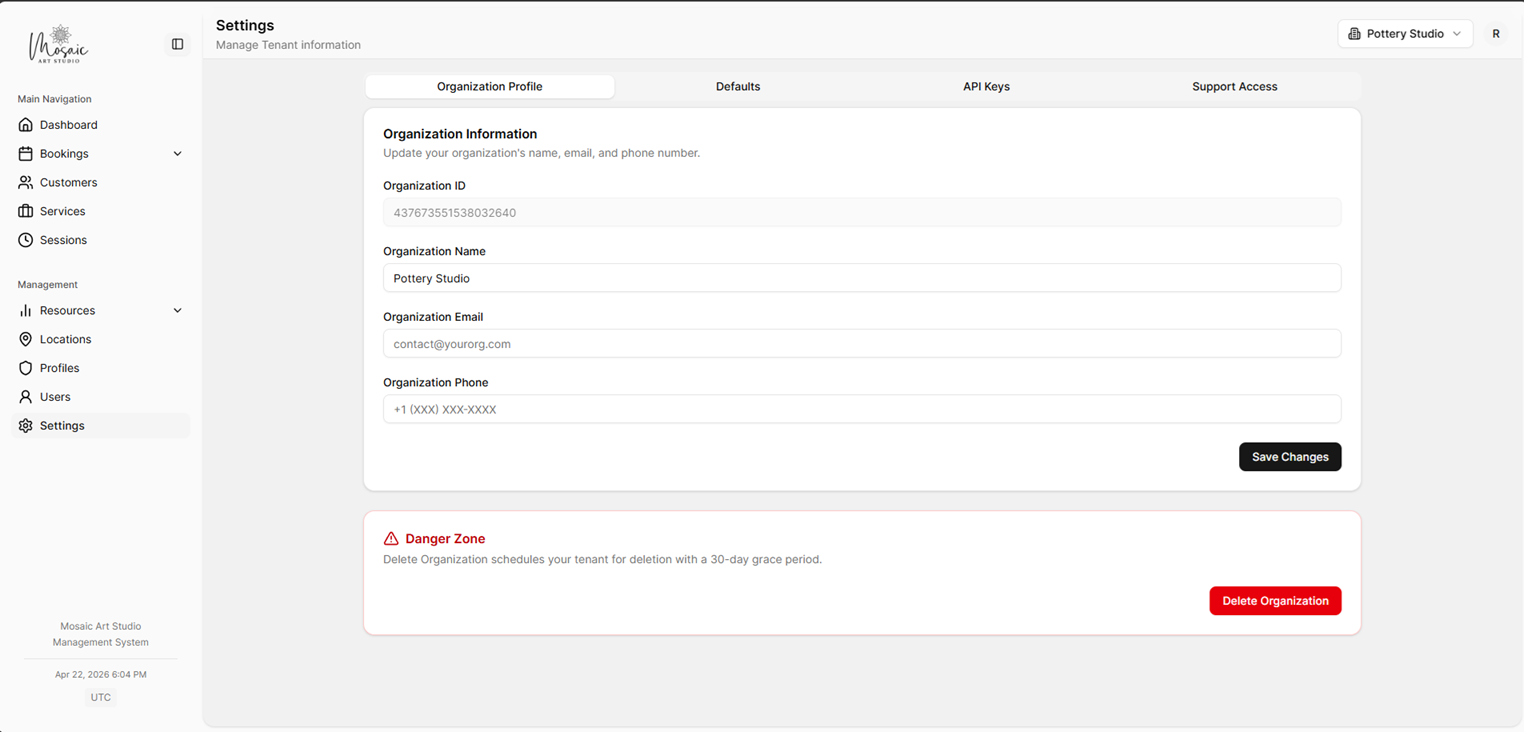
Organization Profile settings with business details and contact information.
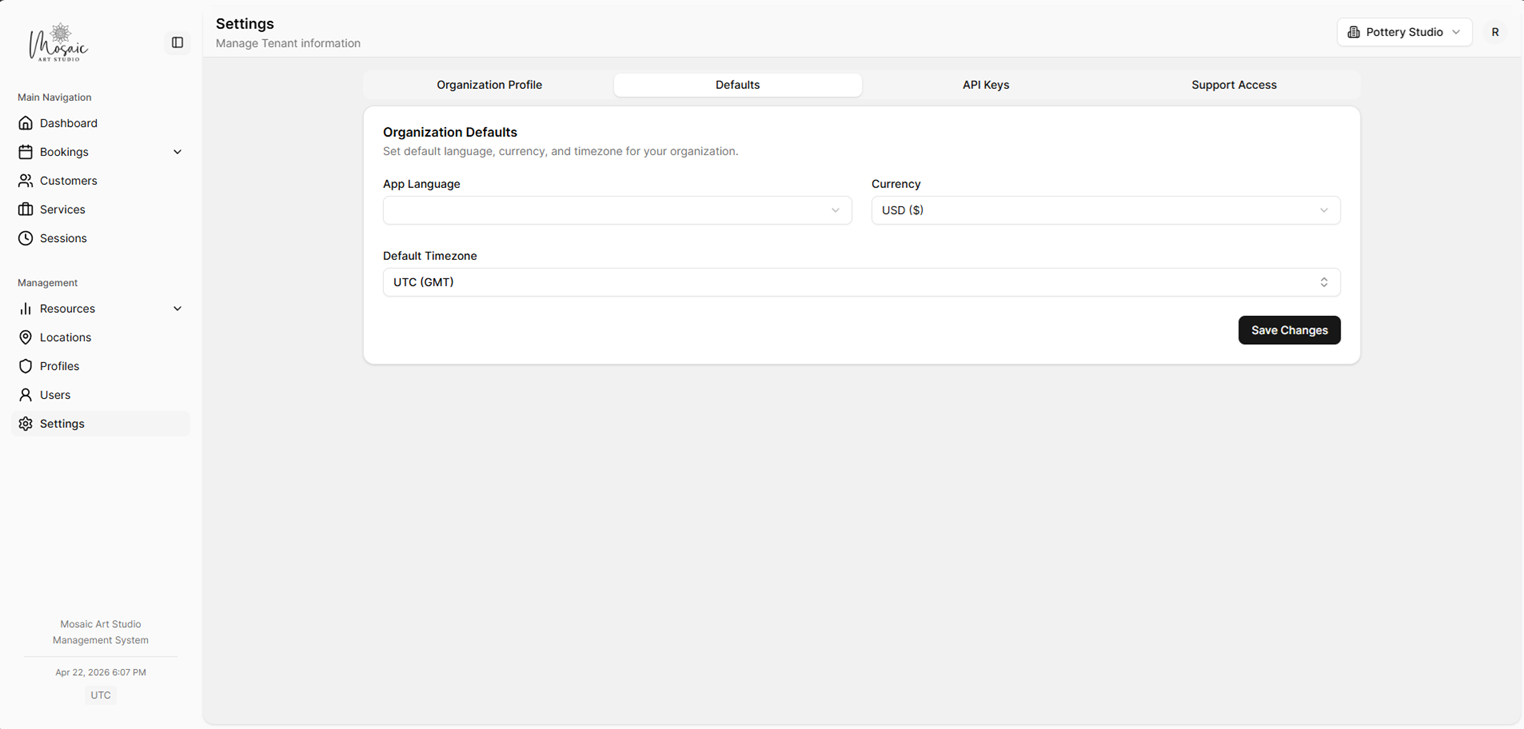
Default workspace settings for language, currency, and timezone.
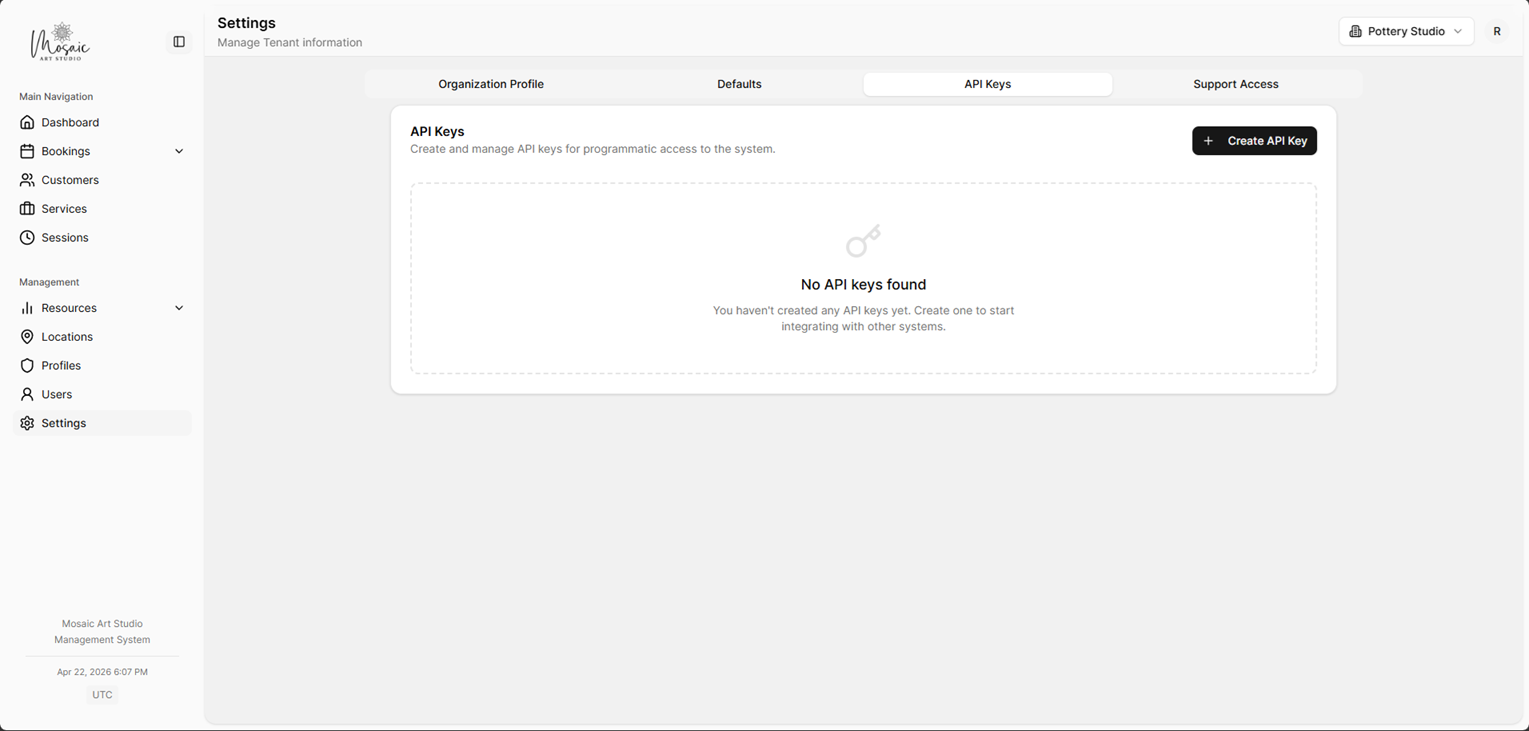
API Keys settings for integrations and advanced access.
Profiles and users
Profiles define permission sets by module. Users inherit those permissions and can also be scoped by assigned services or locations.
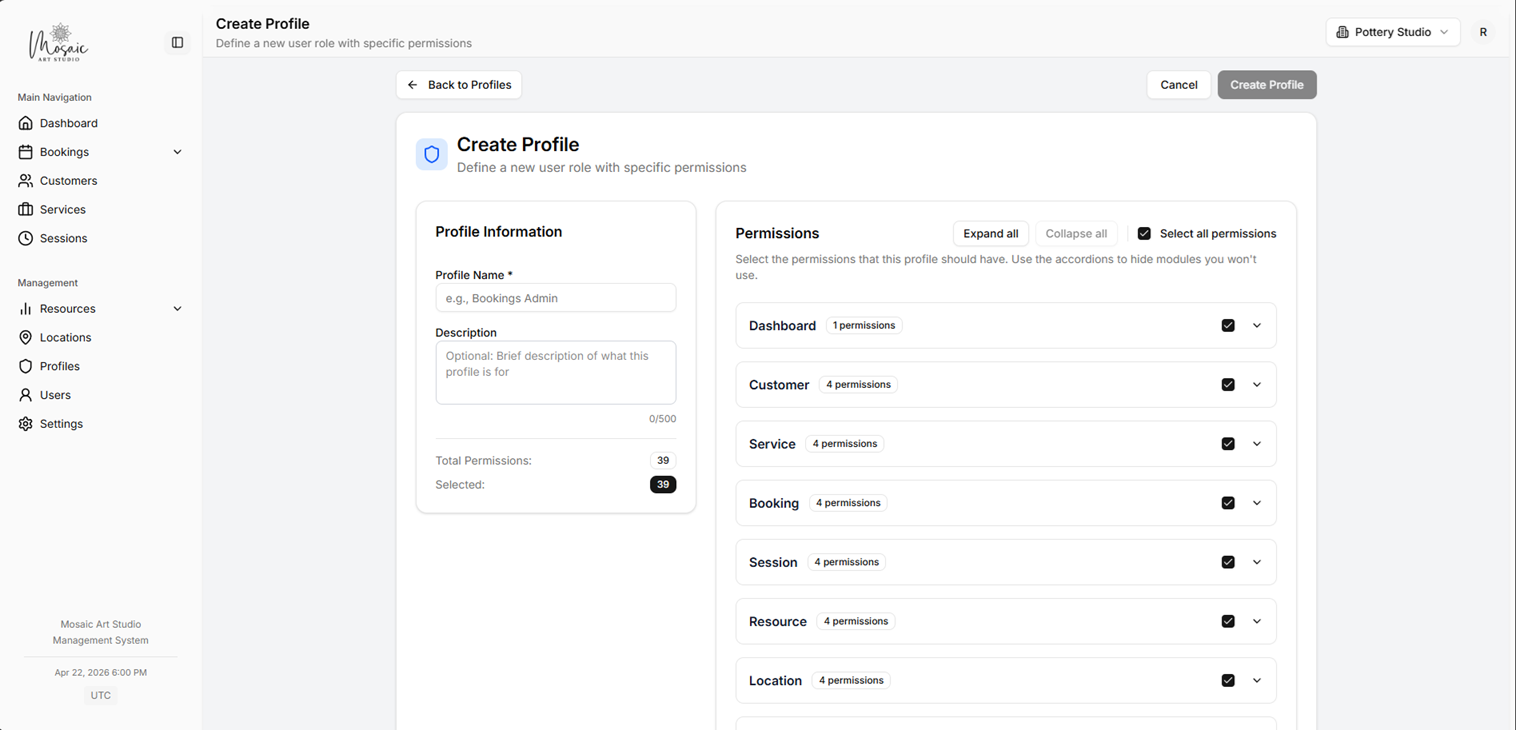
Profile creation screen with module-level permission settings.
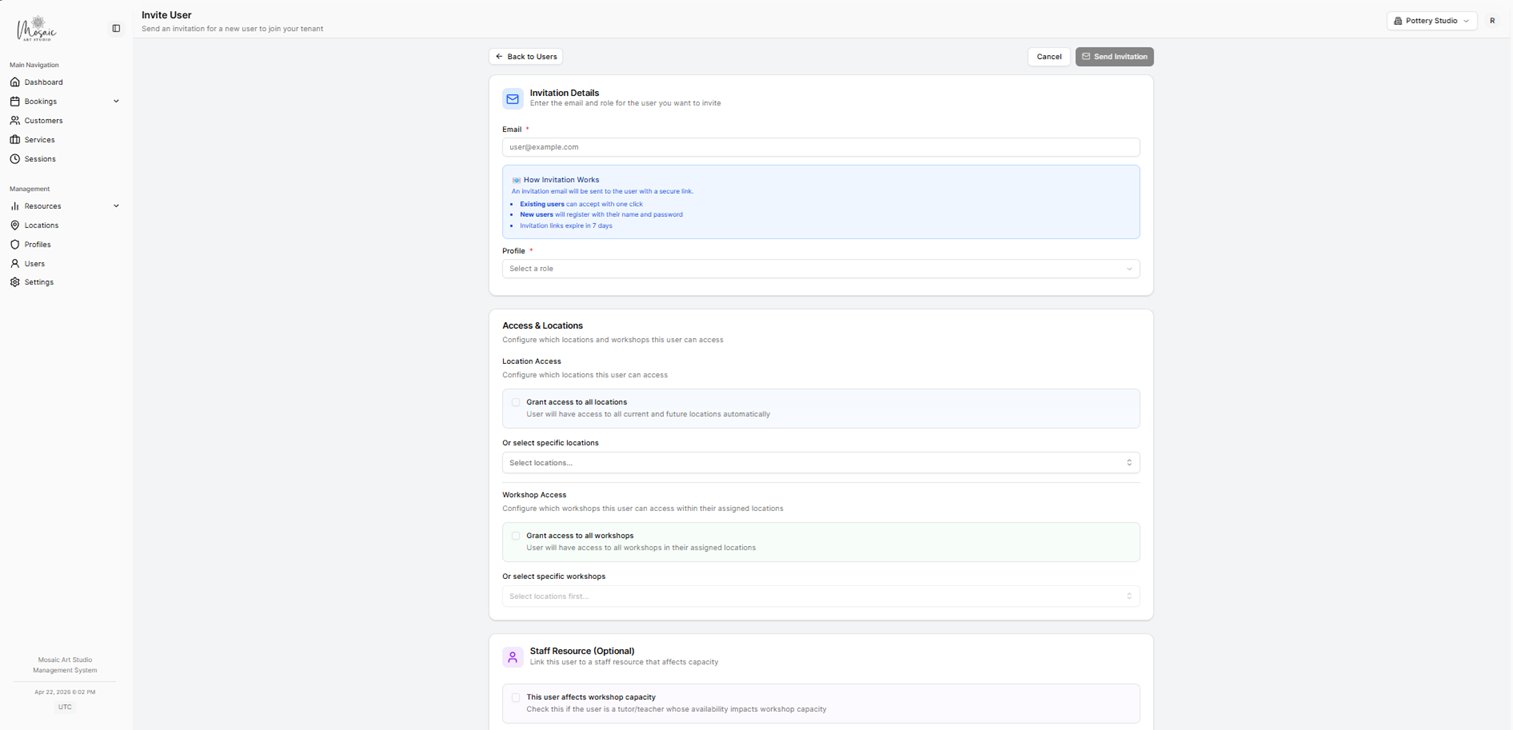
User invitation form with role, service, and location scope assignment.
Locations
Locations represent where services run and are reused across services, sessions, and bookings.
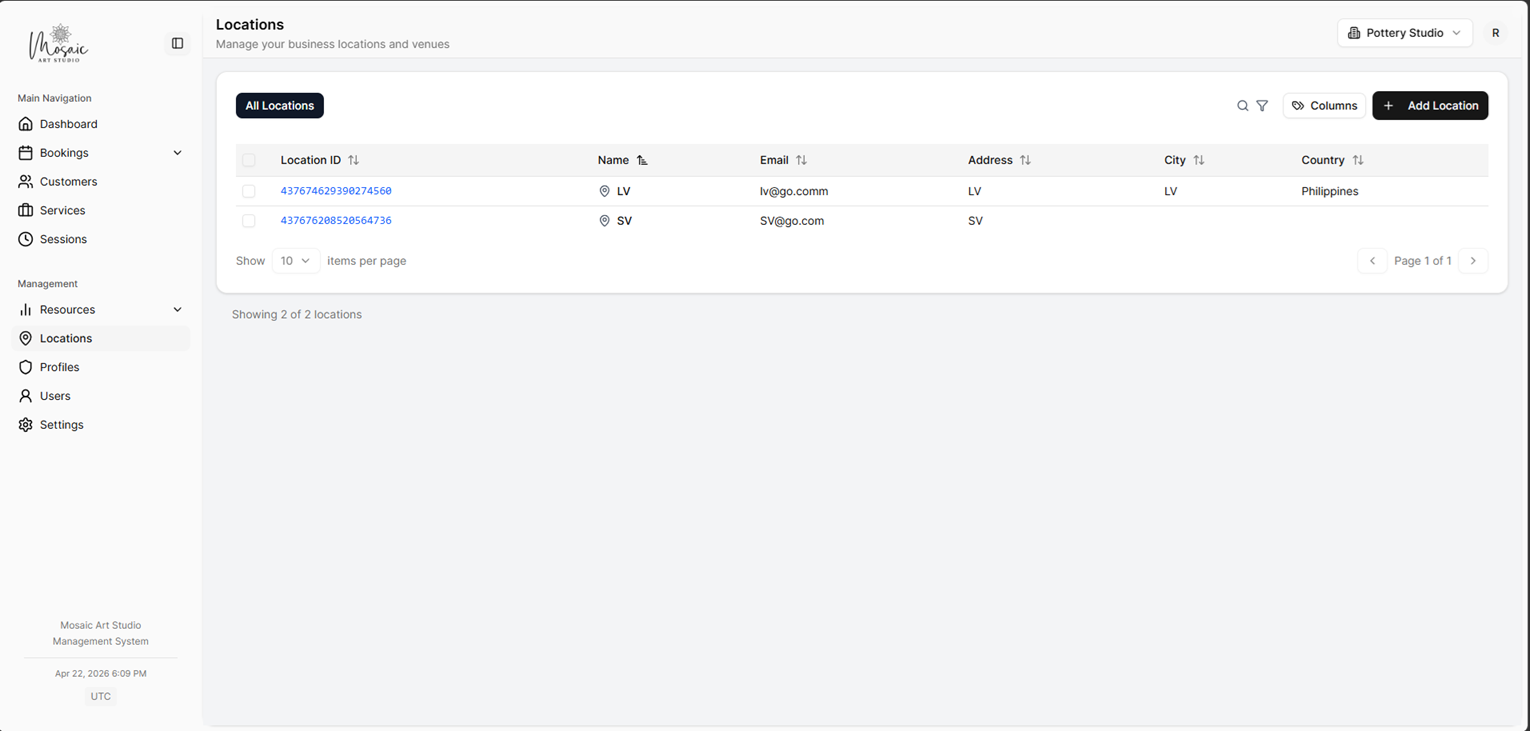
Locations list showing all configured venues or service locations.
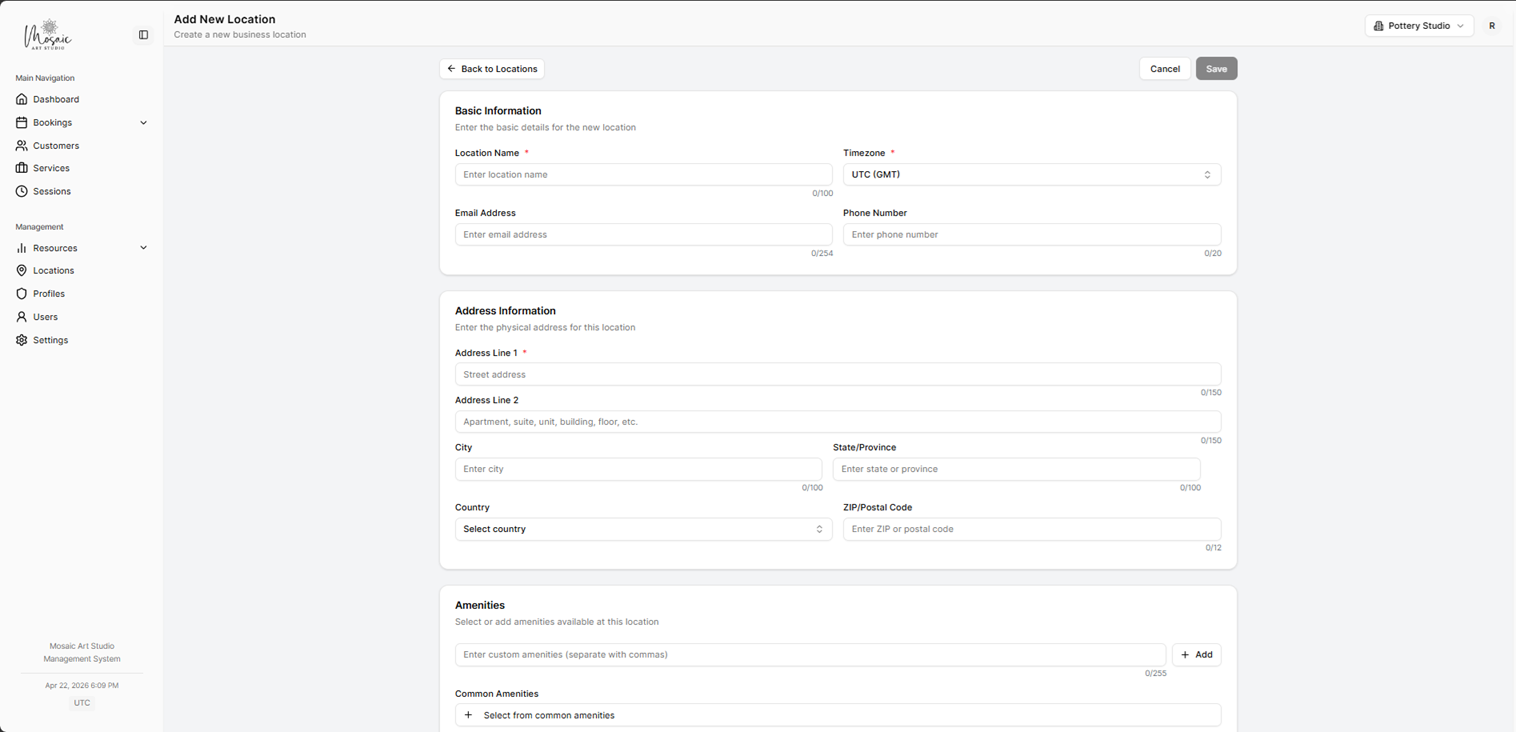
Add Location form for creating a new venue or branch.
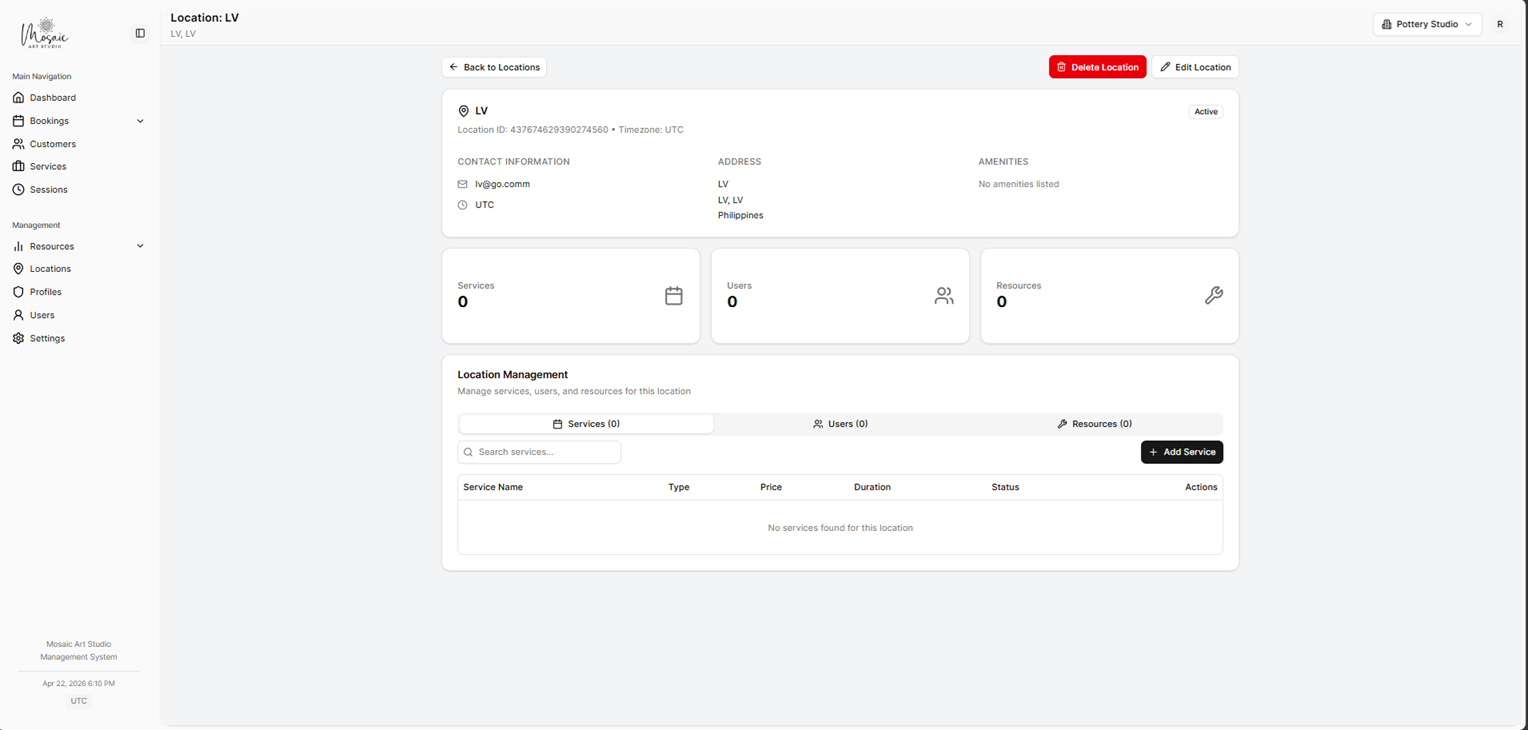
Edit Location view for updating an existing venue or branch.
Services
Services define the customer-facing offer: title, description, pricing, variants, booking type, scheduling rules, and public widget behavior.
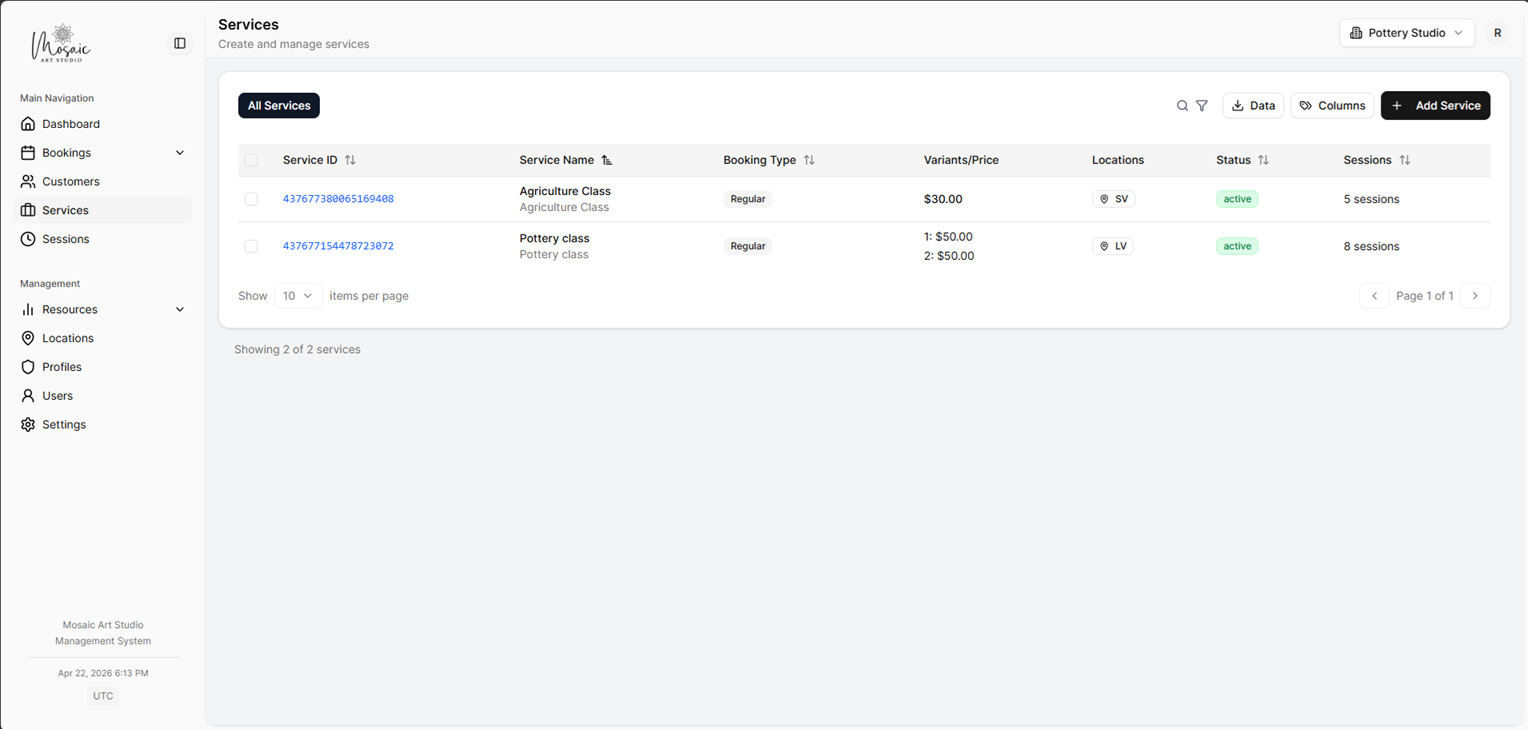
Services list showing all bookable offerings in the workspace.
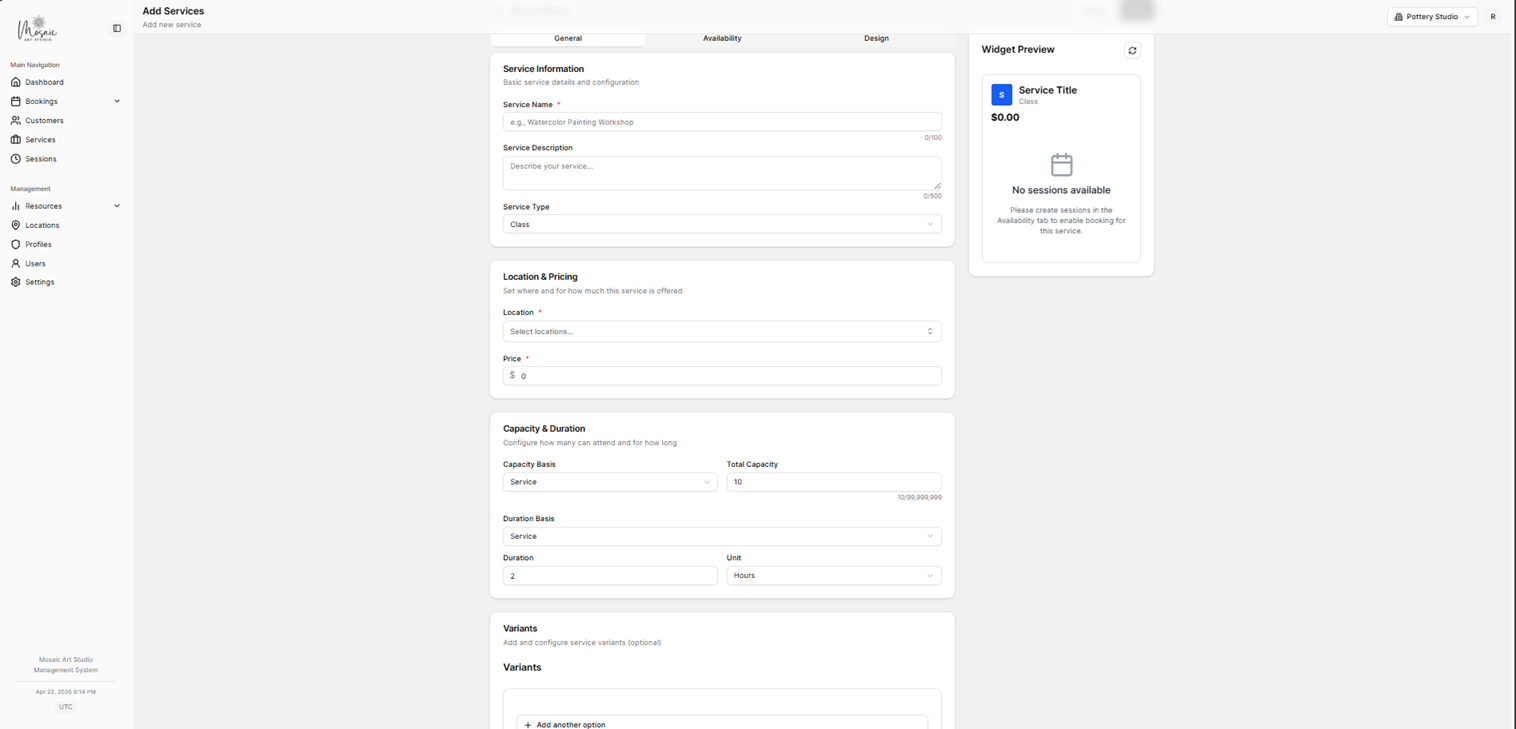
Service creation form, General tab.
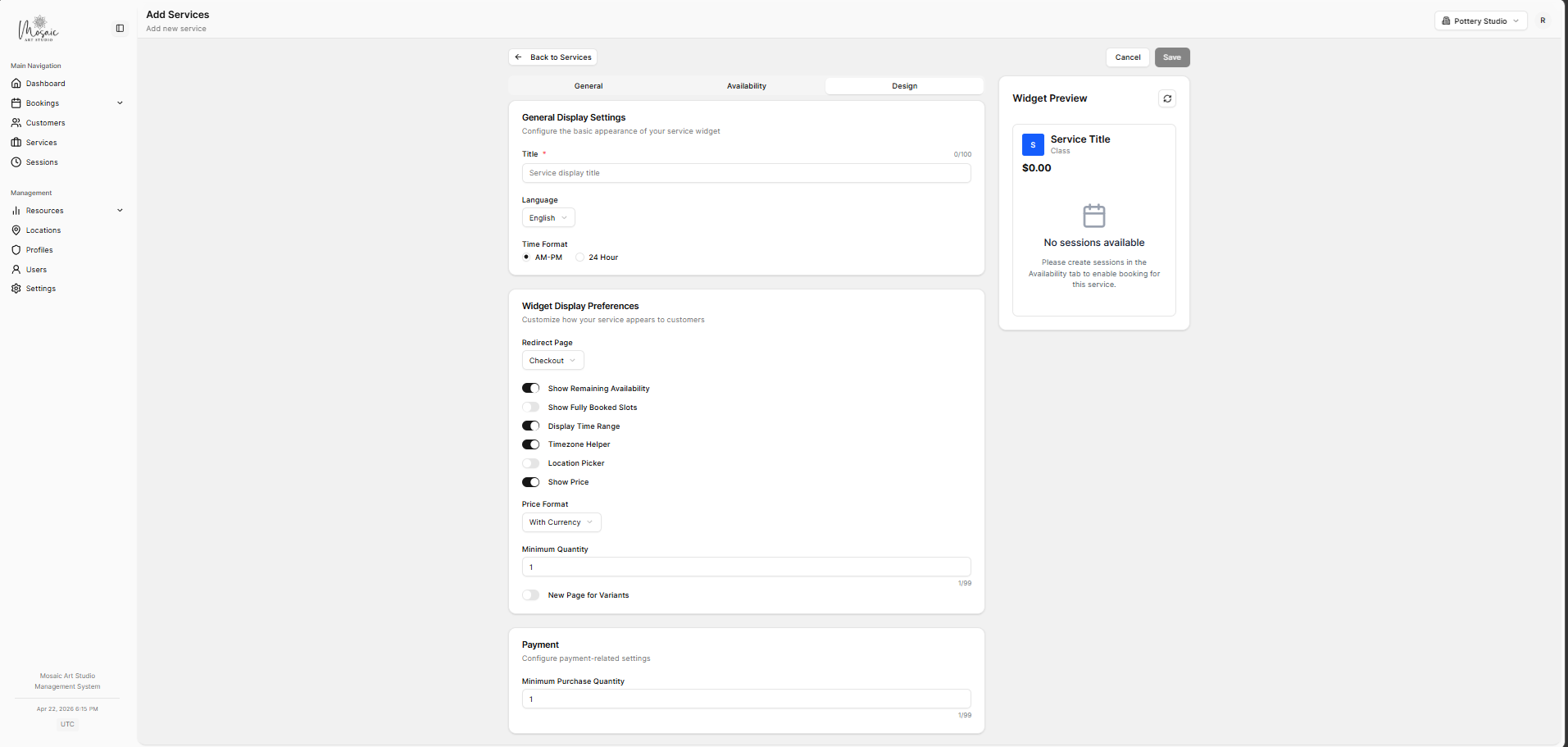
Service creation form, Design tab.
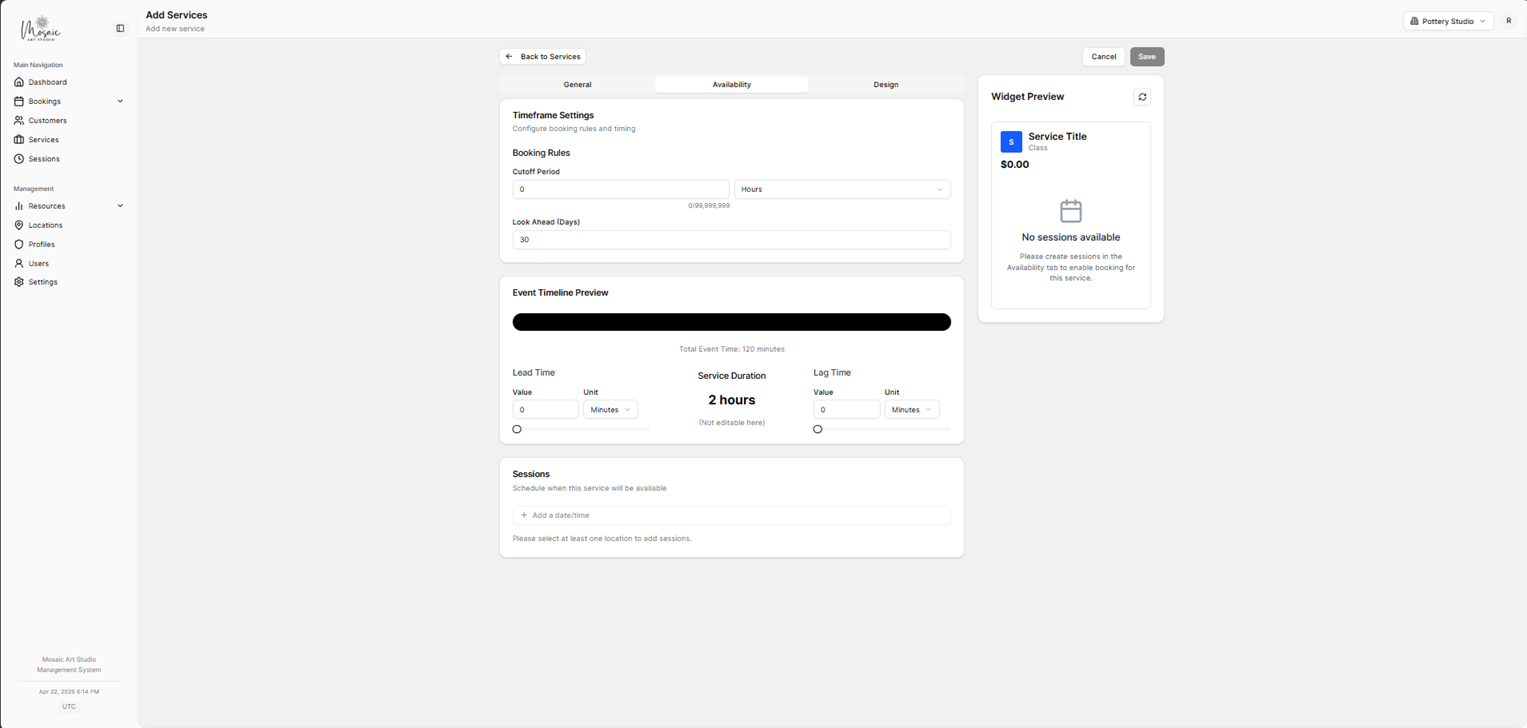
Service creation form, Availability tab.
Sessions
Sessions are scheduled instances of services and can often be managed centrally or inside the service editing flow.
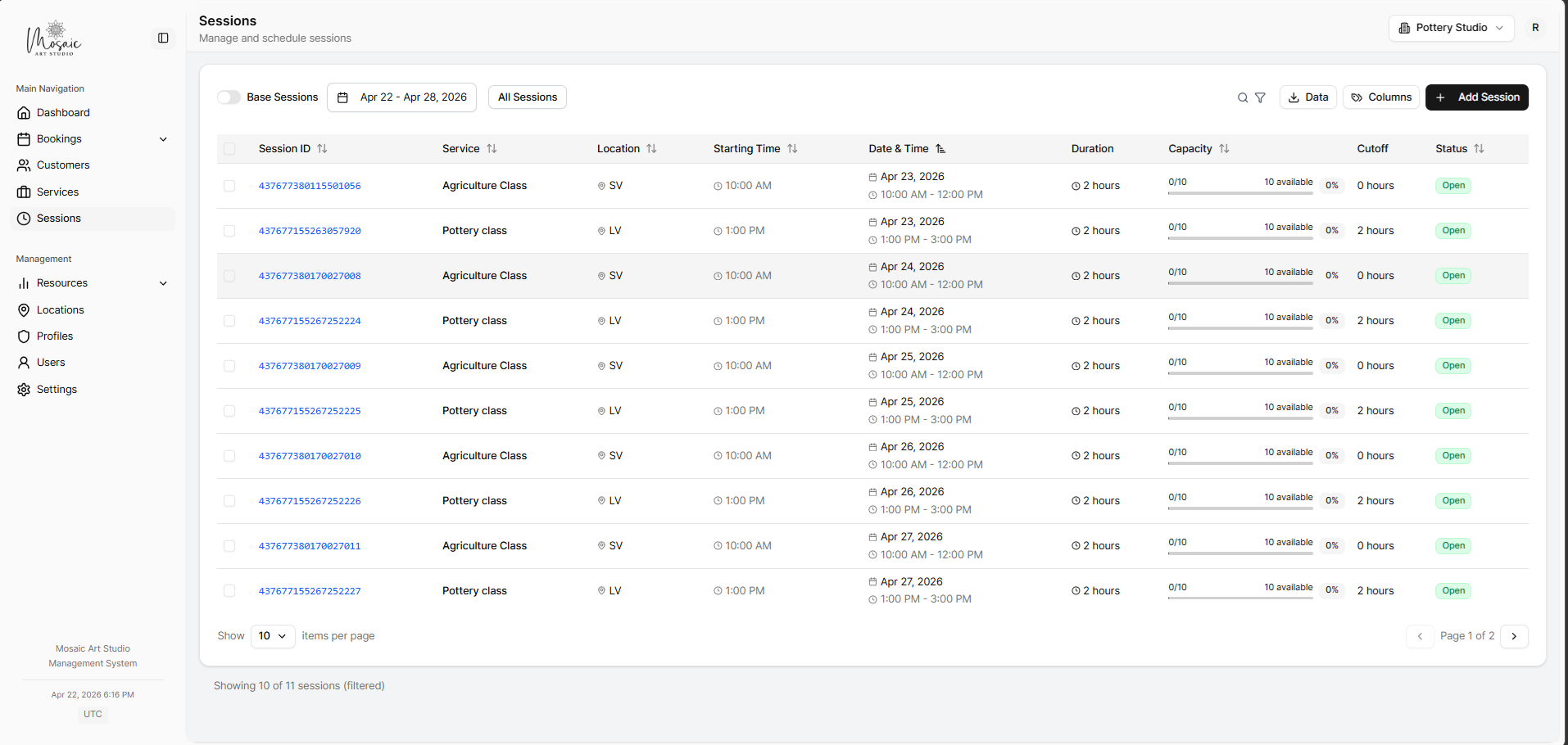
Sessions list with scheduled service instances across the workspace.
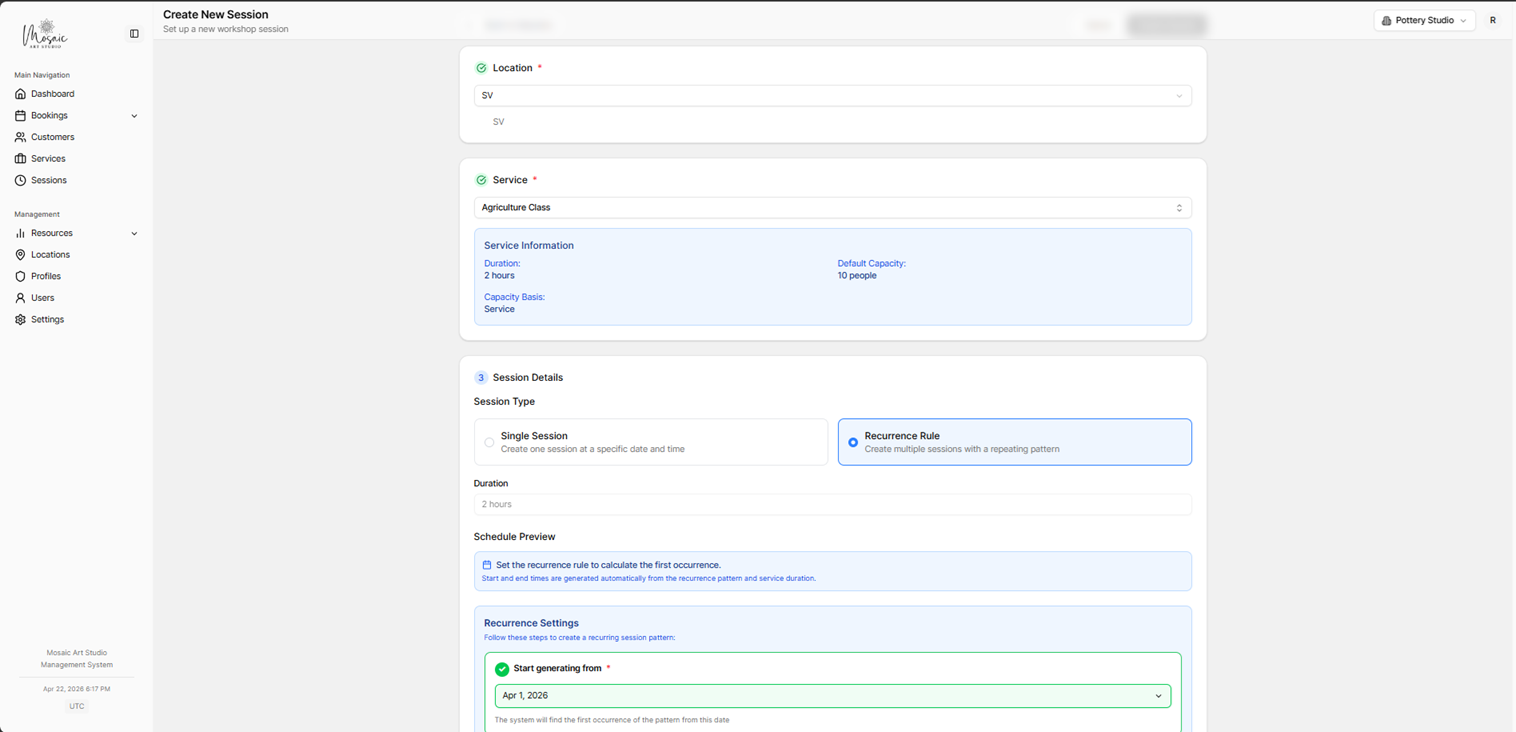
Session creation form for basic scheduling details.
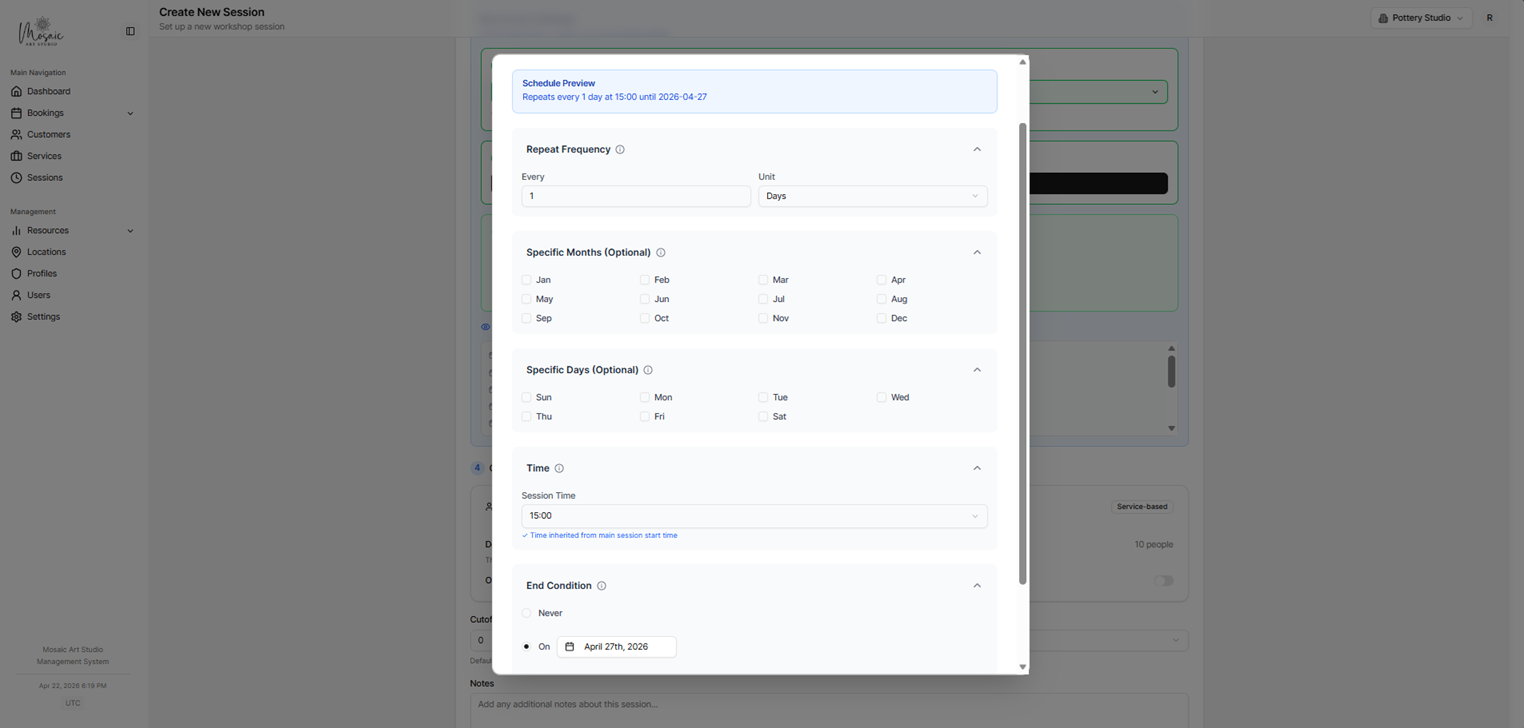
Session recurrence settings for repeating schedules.
Resources and capacity
Resources and capacity rules support more realistic scheduling when availability depends on rooms, staff, or equipment.
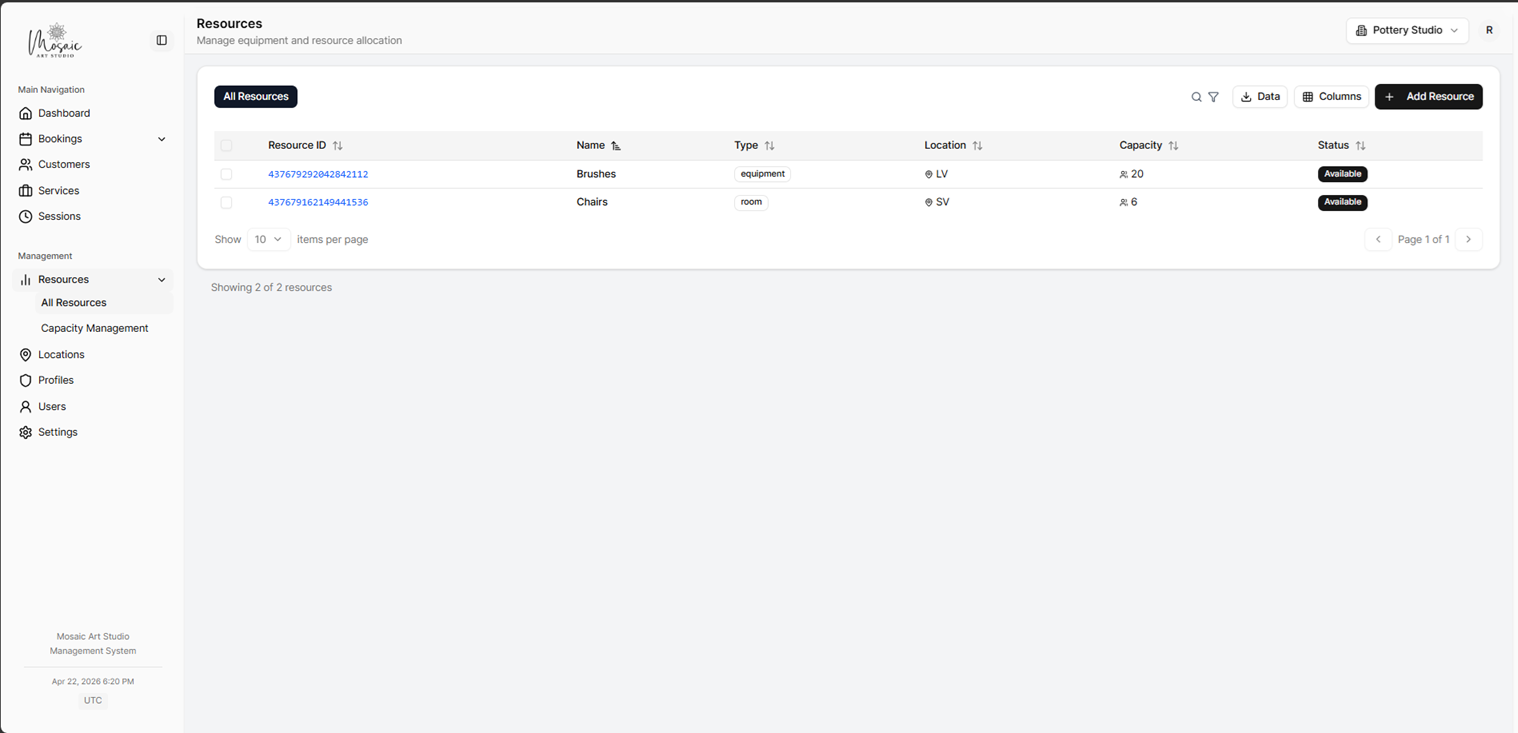
Resources page for managing staff, rooms, or equipment.
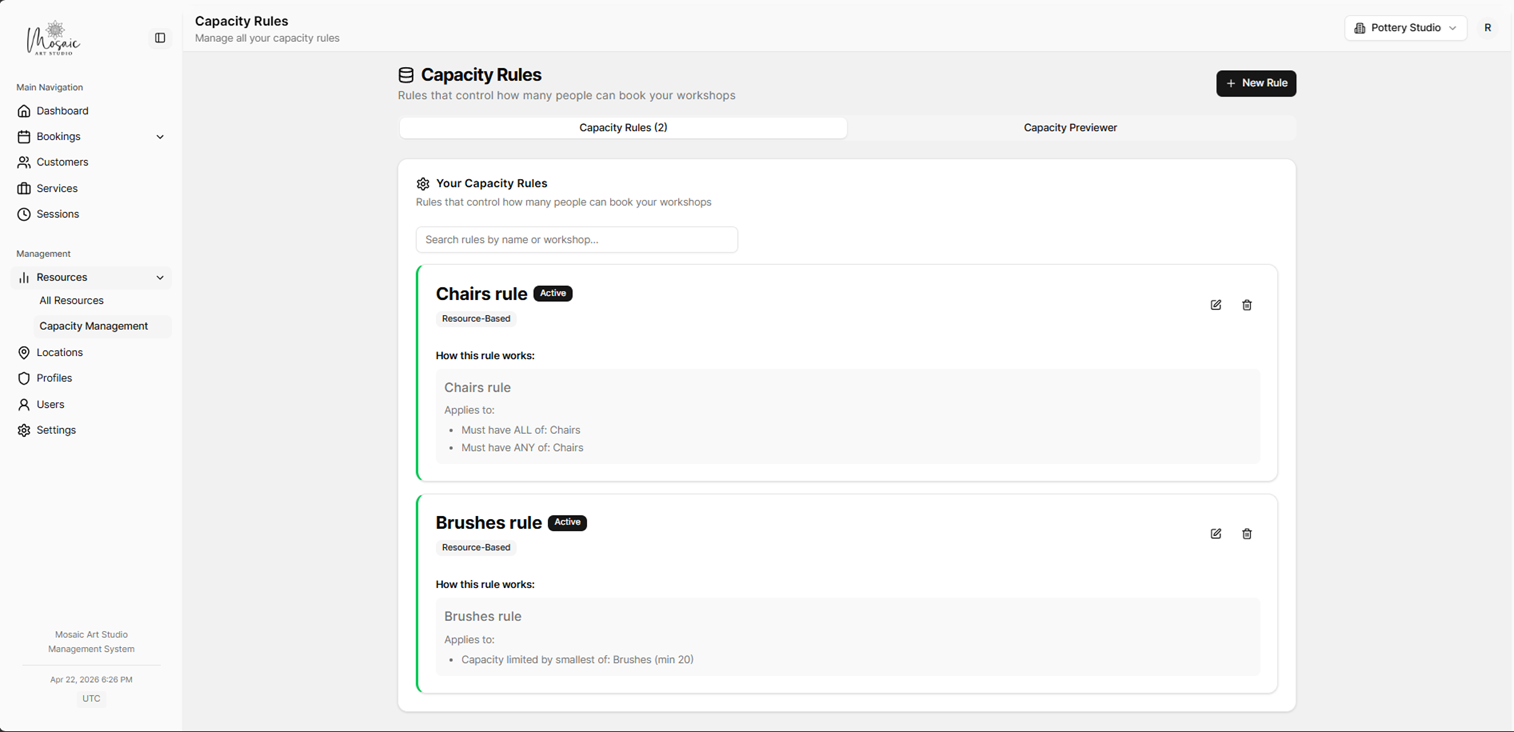
Capacity rules list for resource-based availability management.
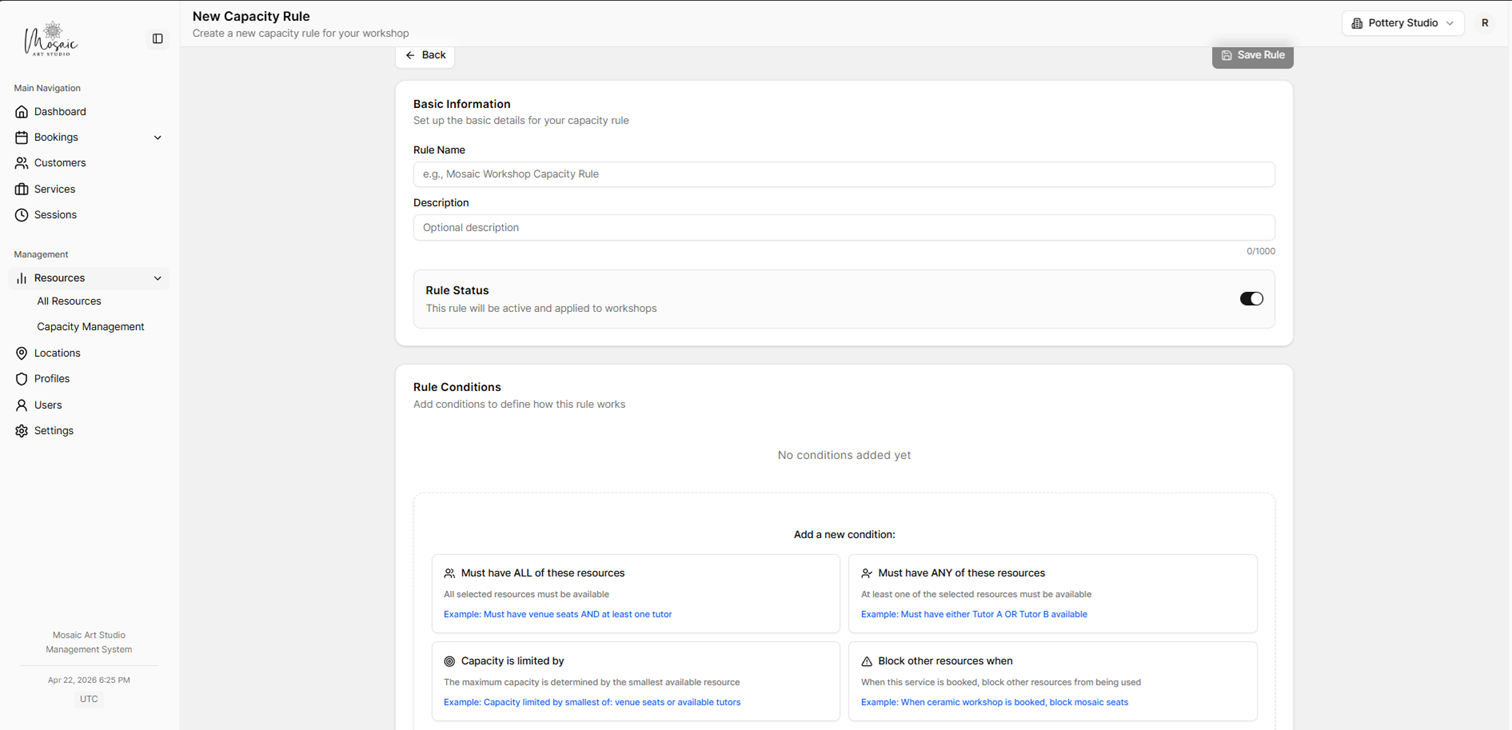
Capacity rule creation form for defining shared availability limits.
Customers and bookings
Customers hold contact records. Bookings support searching, filtering, exports, and a calendar view.
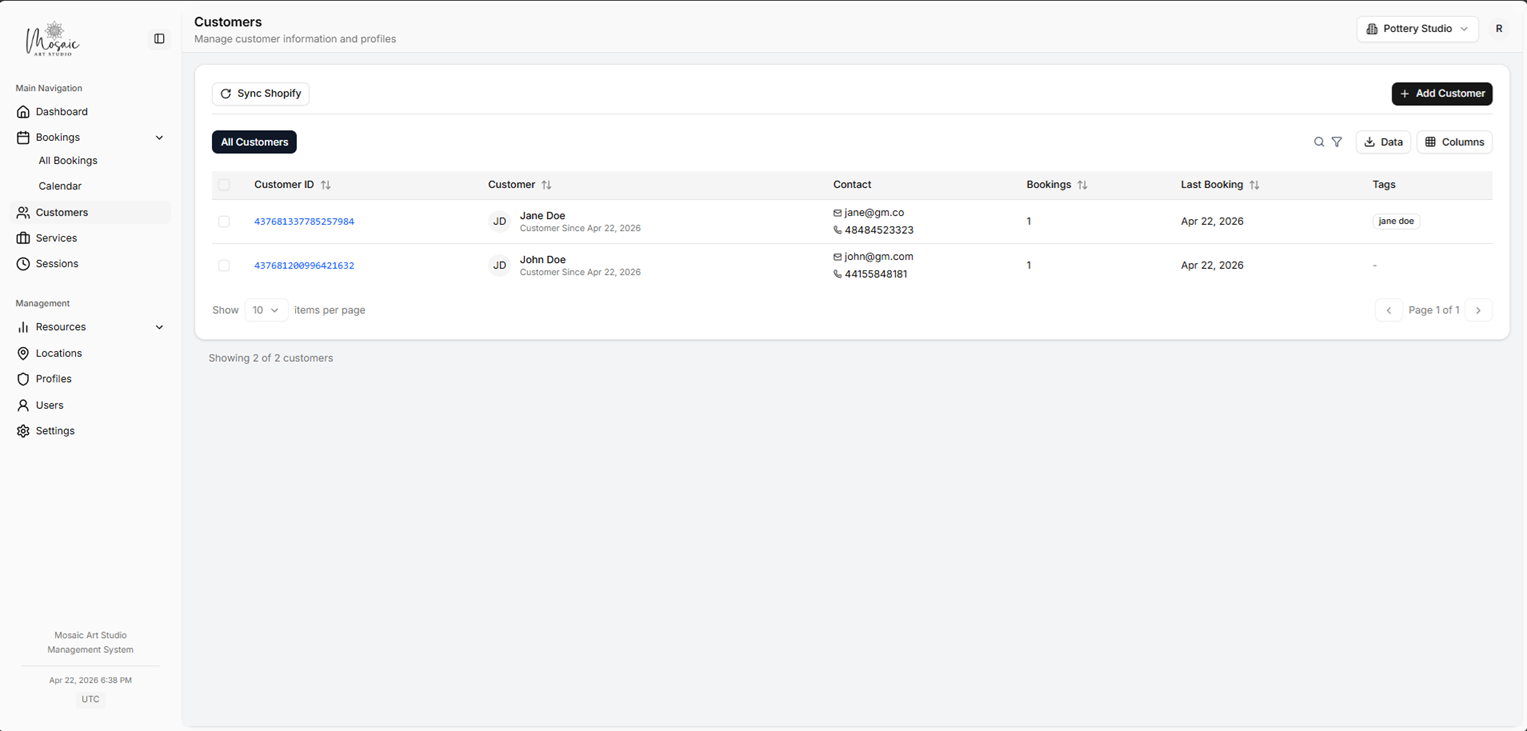
Customers list with all saved customer records.
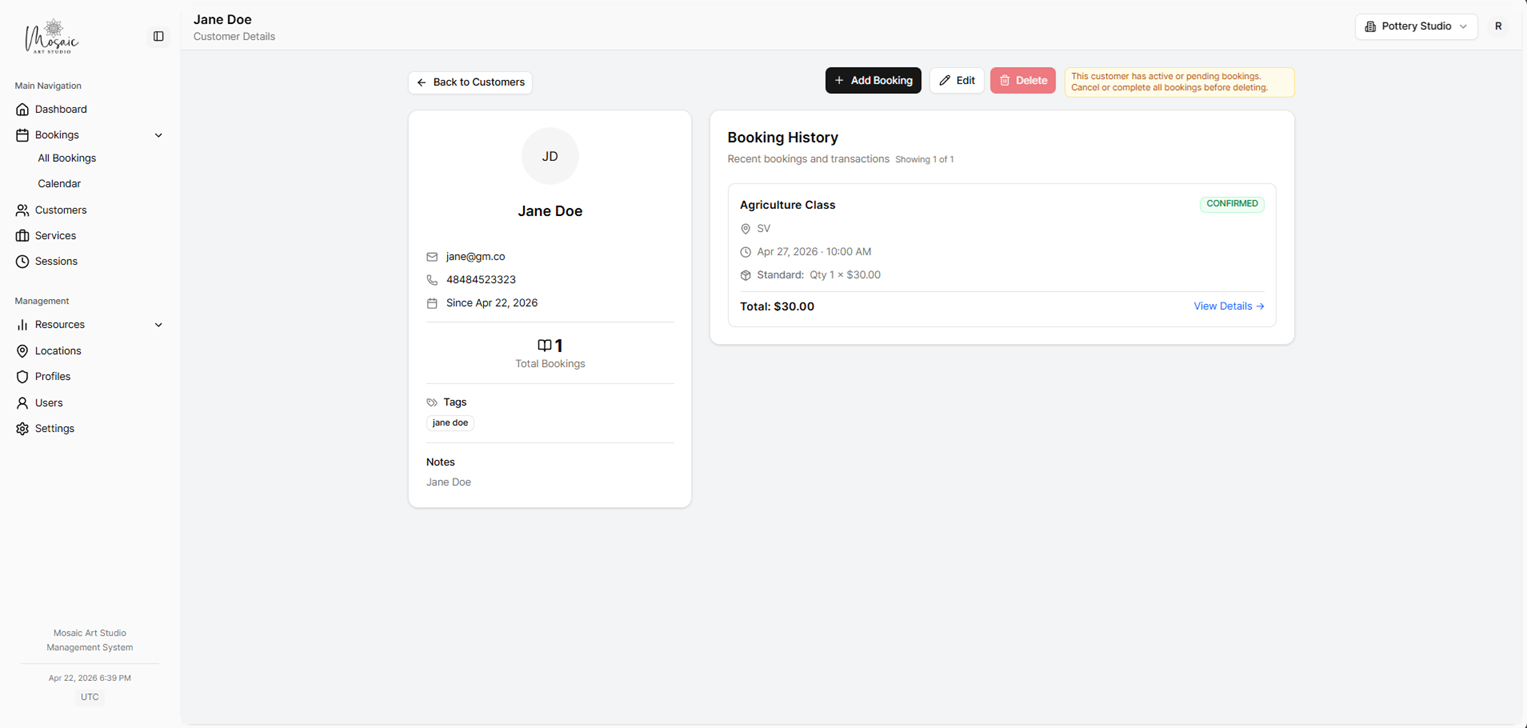
Customer detail page for reviewing and editing a customer record.
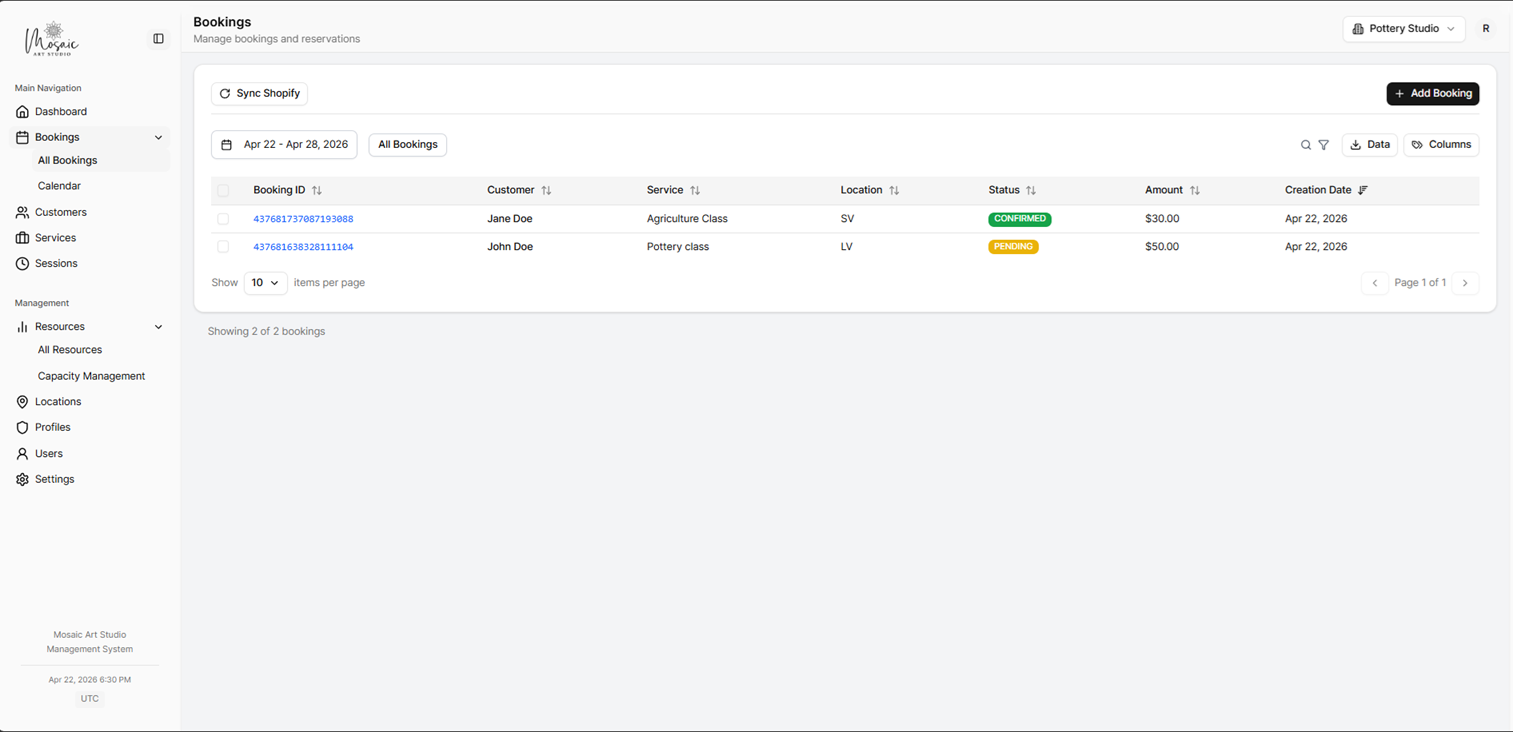
Bookings list for reviewing and managing reservations.
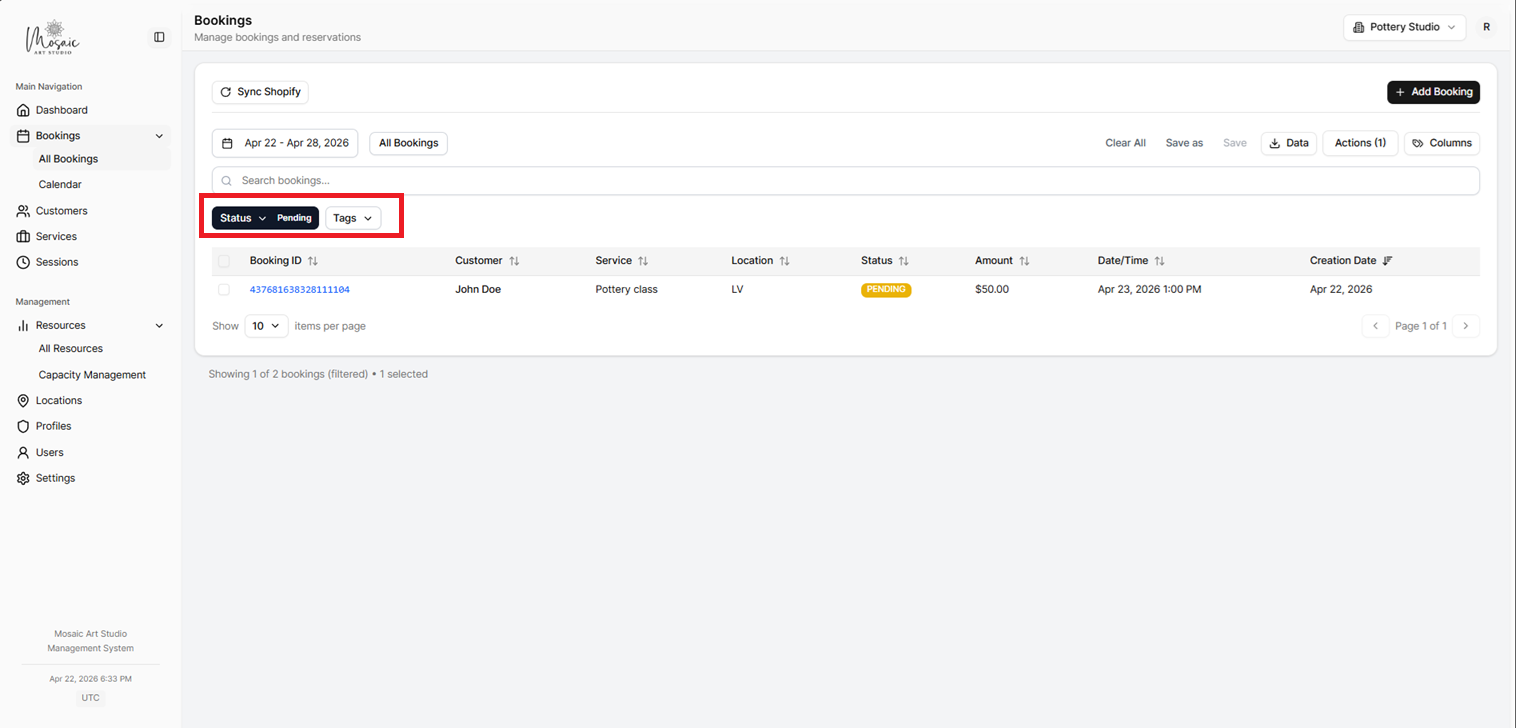
Bookings list with filtering controls highlighted.
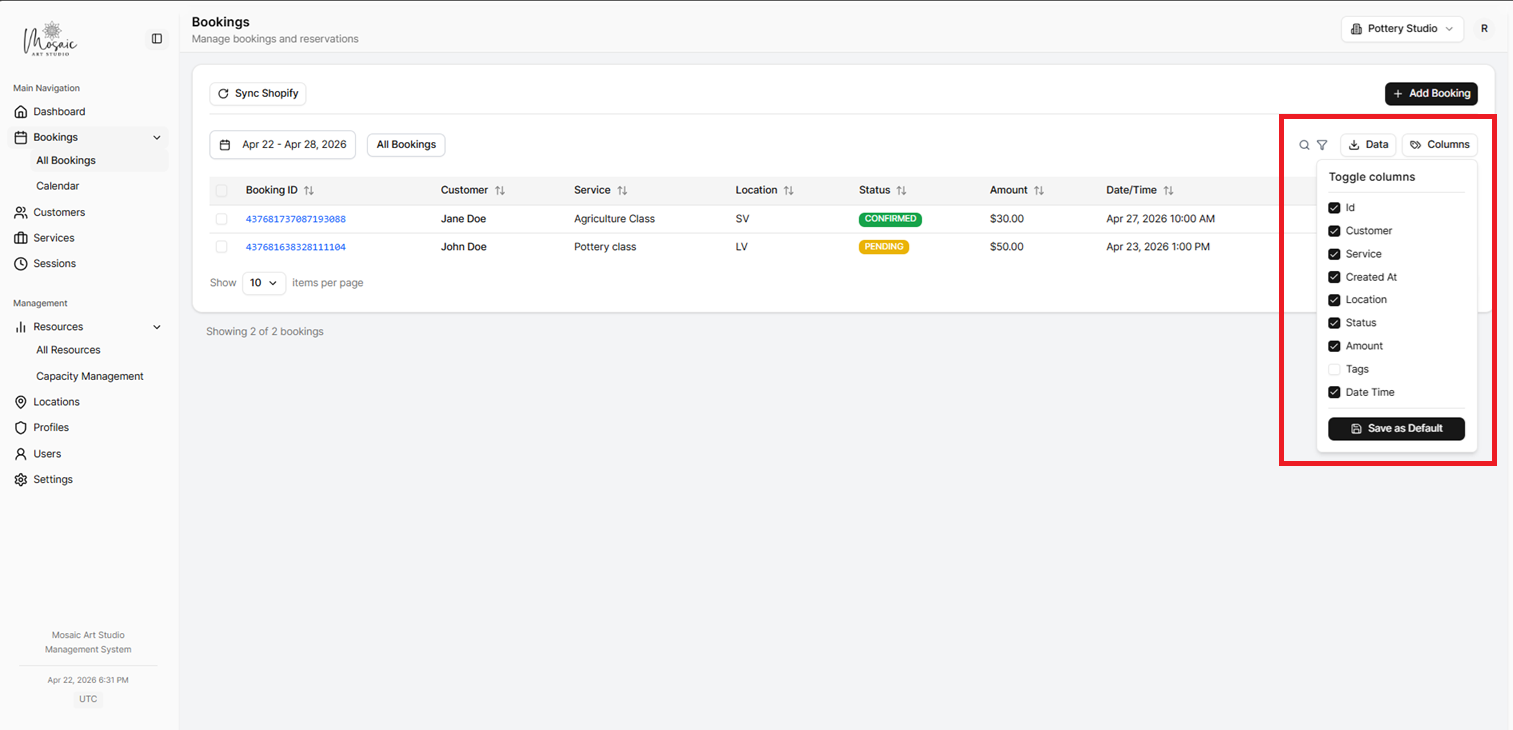
Bookings list with column customization options highlighted.
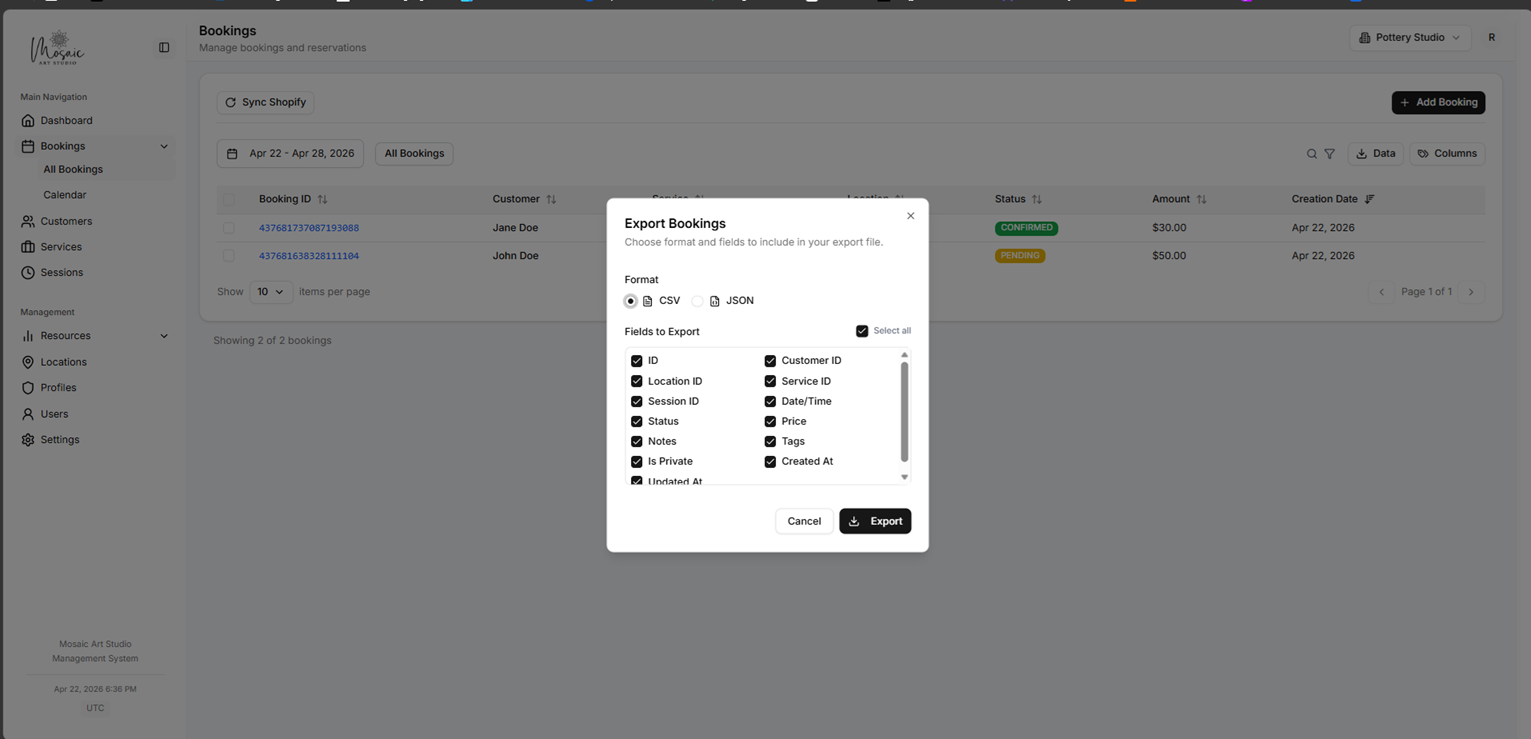
Bookings list with export actions highlighted.
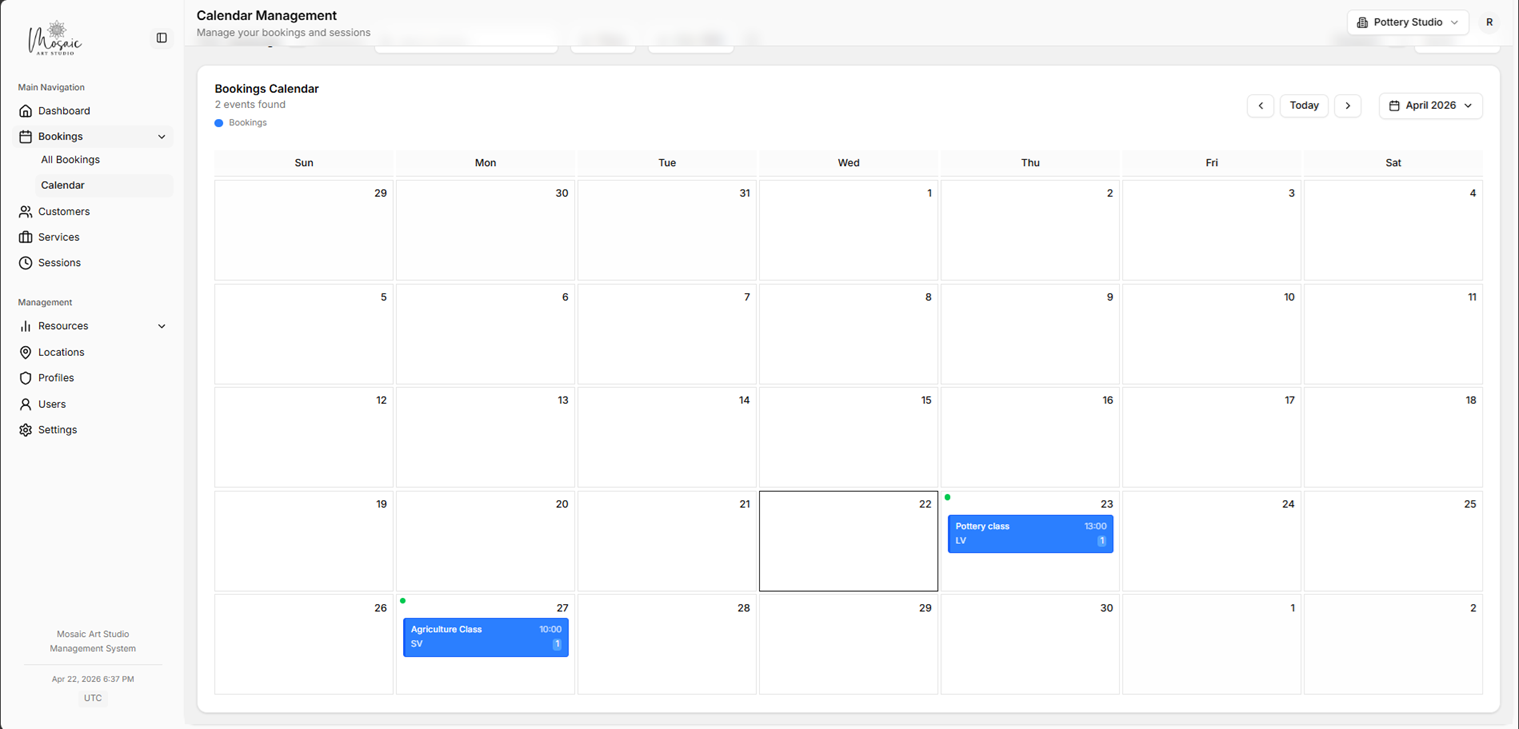
Calendar view of bookings and scheduled activity.
Staff notifications
Configure email notifications sent to team members when booking events occur. Open Settings → Communication → Staff Notifications.
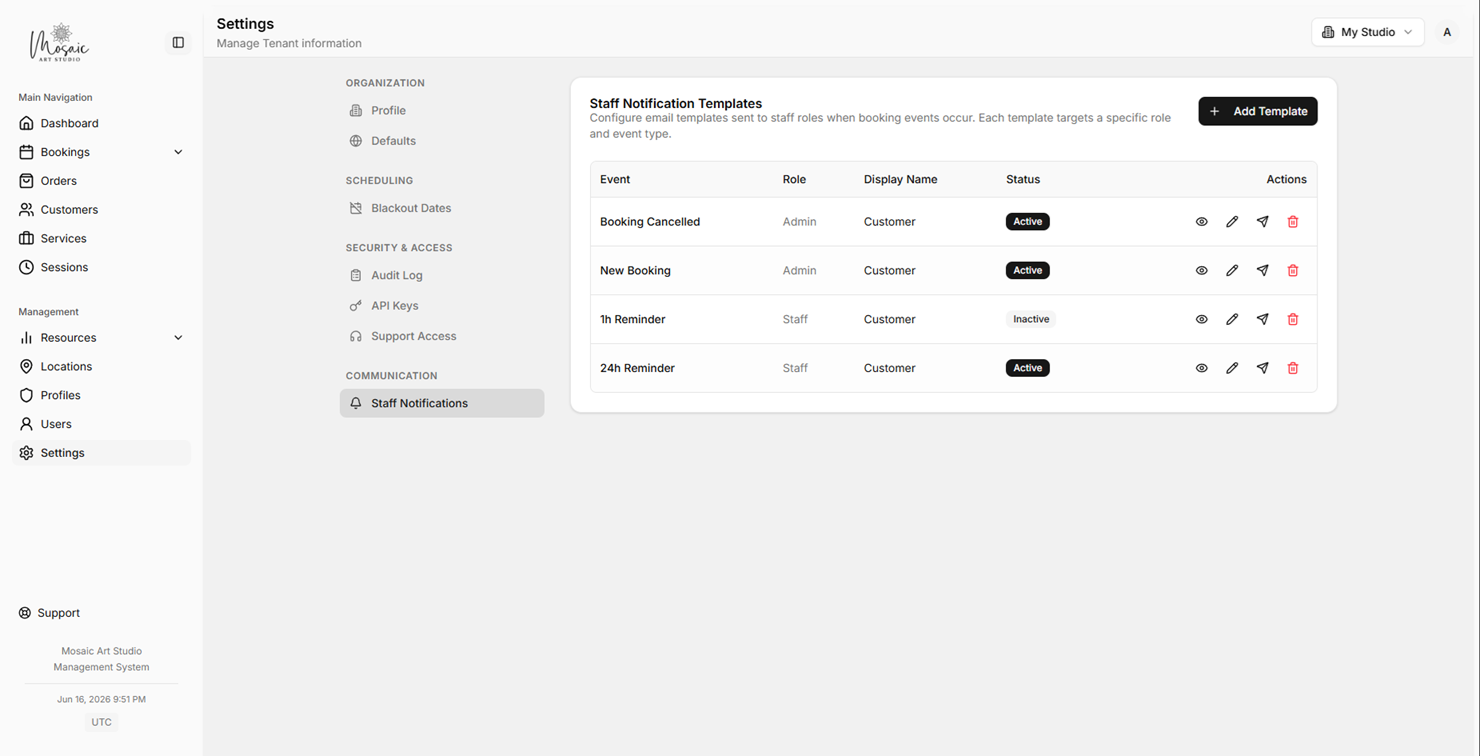
Staff notification templates list showing which booking events notify team members.
Each template can be assigned to a specific role so only relevant staff receive the email. Template variables like {customerName}, {workshopName}, and {sessionDate} are replaced with real values when sent.
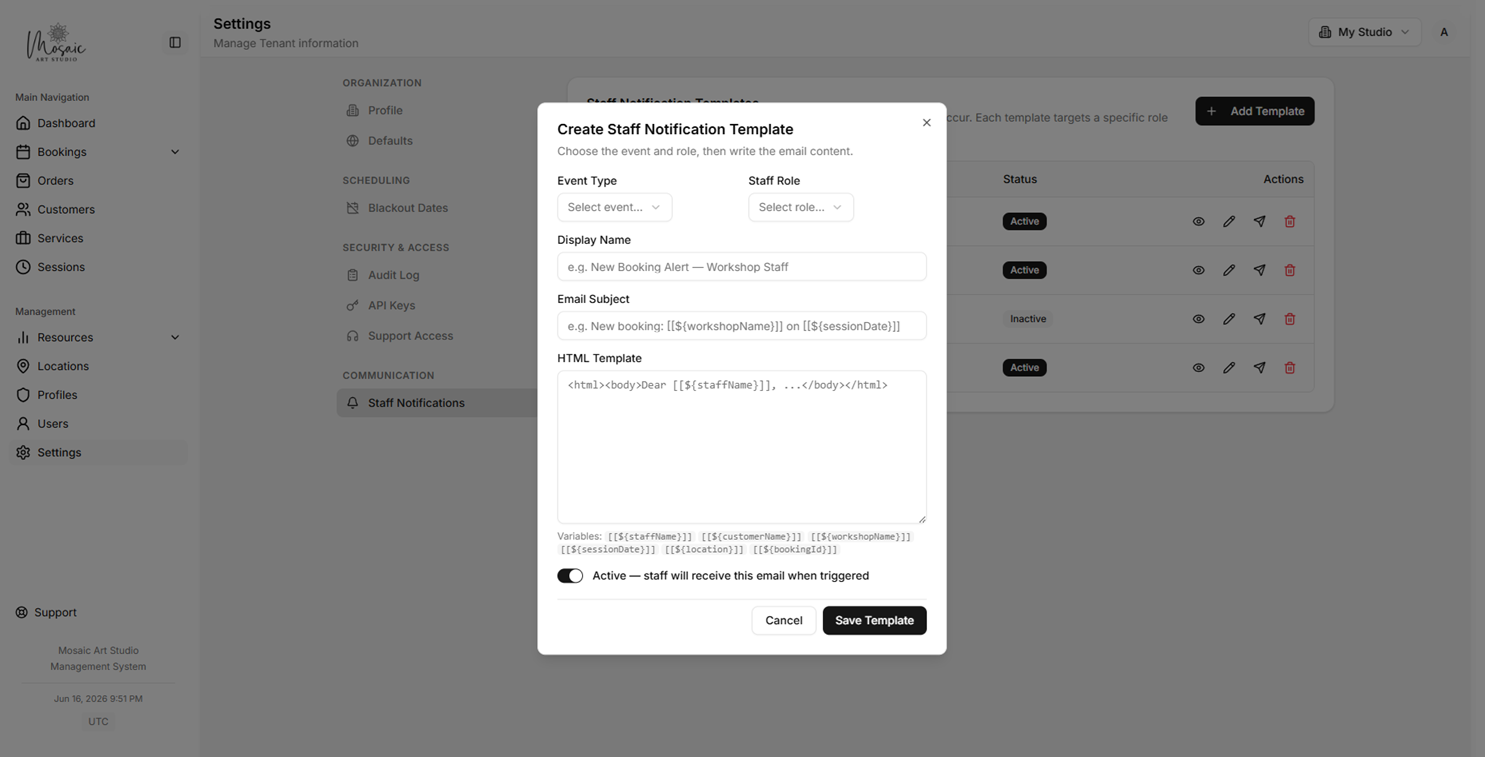
Staff notification template editor with role assignment and test-send.
Dashboard and integrations
The dashboard provides summary metrics when permitted. Public booking depends on valid services, sessions, and capacity settings.
If the workspace is connected to a Shopify store, Orders appear in the sidebar for viewing and managing incoming Shopify orders linked to bookings.